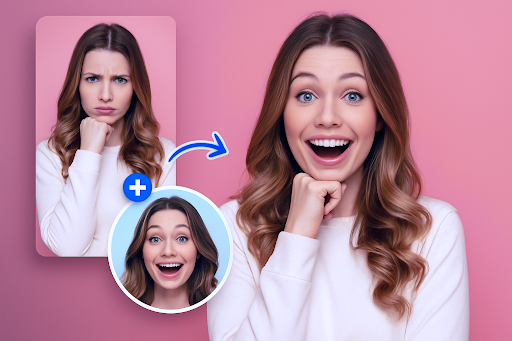
Have you ever looked at a group photo and thought, “What if we could swap everyone’s faces around?” Or maybe you’ve watched a movie scene and imagined yourself in it. These little “what ifs” used to require expensive software and hours of editing. Now, thanks to AI, it takes about ten seconds, and it’s free.
This tool is one of those discoveries that makes you wonder why you ever struggled with anything else. It’s clean, it’s fast, and it actually does what it promises. No surprise charges, no blurry results, no watermarks ruining your final image. Just a genuinely good face swap experience that works whether you’re a content creator, a business owner, or someone who just wants to make their friends laugh.
Why People Are Obsessed with Face Swapping
Face swapping isn’t just a party trick anymore. It’s become a legitimate creative tool. Businesses drop faces onto model bodies to save money on photoshoots. YouTubers and TikTokers use it to make entertaining content without a big production budget. Teachers have used it to bring historical figures to life. And the rest of us? We use it to make memes, mess with old photos, and generally have a good time.
The technology behind it has come a long way. Early face swaps looked obviously fake, mismatched skin tones, awkward edges, lighting that made no sense. The good tools today actually account for all of that. The AI reads the original photo’s lighting, texture, and geometry and blends the new face in as if it had always been there. The difference between a cheap face swap and a quality one is immediately obvious, and once you see what a well-built tool can do, there’s no going back.
The Free Face Swap Tool That Does It All
The free face swap tool works for both photos and videos. You upload your original image or clip, upload the face you want to swap in, hit the button, and you’re done. It supports all the common formats: JPG, PNG, WEBP for photos, and MP4, MOV, GIF, and more for video. There’s nothing to download and nothing to sign up for just to try it.
What stands out most is how natural the results look. It’s not just slapping a face onto a body. The tool matches skin tone, adjusts for lighting angles, and respects the original expression so the final result actually looks believable. You can use it on your phone, your laptop, your tablet. It works anywhere you have a browser and an internet connection.
When One Face Isn’t Enough
Group photos are where things get really fun. The multiple face swap tool lets you replace every face in a photo or video at once. The AI automatically detects each face individually, and you assign a replacement for each one. It handles tricky situations too side angles, dim lighting, partially hidden faces without you having to do any manual adjustments.
Think about the possibilities: putting your whole friend group into a movie poster, recreating a famous painting with your family’s faces, or making a personalized meme with your coworkers. It’s the kind of thing that takes thirty seconds and makes someone’s day.
Face Swapping in Videos, Done Right
Swapping faces in videos is a whole different challenge compared to photos. Every single frame has to be processed, and the face has to stay consistent as the person moves, turns, or changes expression. A lot of tools fall apart here: flickering faces, misaligned edges, expressions that don’t match the movement. It’s jarring, and it ruins the whole effect.
The multiple face swap video feature tracks multiple faces throughout an entire video clip smoothly, without flickering or misalignment between frames. The AI keeps up with movement and expression changes, so the final video looks fluid and natural. You can download the result in up to 1080p with no watermark, ready to post or share immediately.
Just Give It a Try
There’s no reason to overthink it. The tool is free, it works, and the results are genuinely impressive. Whether you want to swap a single face in a photo or replace an entire cast in a video clip, everything you need is right there. Upload, swap, download, done. It really is that straightforward, and once you try it, you’ll find yourself coming back to it again and again.